Last Updated on October 25, 2026 by SEO Analyst
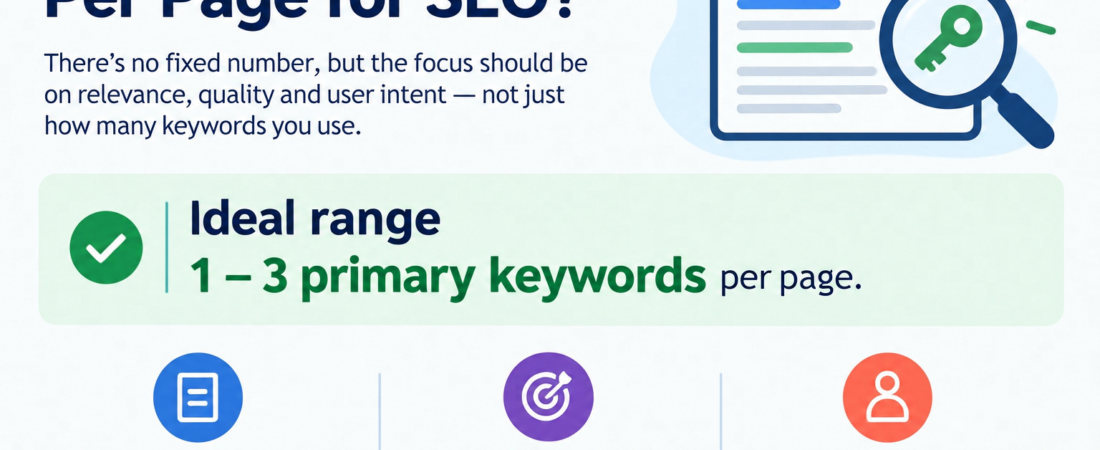
So, how many keywords per page for SEO should you actually use? If you have searched this before, you have probably seen advice that swings from “just one” to “as many as you can fit”. Both extremes are confusing, and honestly, neither is quite right. The good news is that the real answer is simpler than it looks, and it has less to do with counting keywords and more to do with matching what people are really searching for.
In this guide, I will walk you through the number most SEOs follow, how it changes from one page type to another, and where to place your keywords so the page still reads like a human wrote it. We will also talk about keyword cannibalisation, because that is the problem most people run into after they get the count right. And yes, we will touch on how AI-driven search changes the picture a little.
The Short Answer: 1 Primary Keyword Plus 2–4 Secondary Keywords
Here is the quick answer. For most pages, pick one primary keyword and support it with two to four secondary keywords that mean roughly the same thing or cover closely related questions. This is a rule of thumb that many SEOs follow, not an official rule from Google. Google does not publish a magic number, so please treat it as a sensible starting point rather than a law you must obey on every page.
Now, here is something that surprises a lot of beginners. A single page can rank for dozens, sometimes even hundreds, of search queries, even if you only “target” a handful of them. That happens because people phrase the same question in many different ways, and search engines are good at connecting them. So you are not losing out by choosing fewer keywords. You are keeping the page focused, and a focused page is usually the one that picks up those extra variations naturally.
Primary, Secondary and Long-Tail Keywords in Plain English
Your primary keyword is the one search phrase the whole page is built around, the thing someone types before they land on it. Think of it as the title of the story. For this blog, it is how many keywords per page for SEO, and every section here connects back to it. If a section does not connect, it probably does not belong on the page. Checking this as you write is a small habit, but it stops the page from drifting into side topics.
Secondary keywords are the supporting phrases that help you cover the same topic from a slightly different angle. . For example, “how many SEO keywords per page” and “keywords per blog post” sit right next to our main phrase. Long-tail keywords are longer, more specific searches, like “how many keywords should a service page target”. There is no need to hunt for these one by one. If your page answers those questions clearly, they become part of your coverage without any extra effort.
How Many Keywords Per Page by Page Type
The 1 + 2–4 rule works nicely for blog posts, but not every page behaves like a blog post. A homepage, a service page and a category page all have different jobs, so their keyword needs differ a little. The table below shows the starting points I usually work with. Please read them as guidelines and not strict limits, because search intent and competition can change the right number for your page.
| Page type | Primary | Secondary | Why this works |
|---|---|---|---|
| Blog post | 1 | 2–4 | You are answering one question in full, so supporting phrases stay close to it. |
| Service page | 1 | 3–5 | People often search for the same service by name, by outcome or by location. |
| Homepage | 1 | 2–3 | It works best when it speaks to your main offer instead of listing everything you do. |
| Category page | 1 | 4–6 | It groups many related items, so more variations fit in naturally. |
| Landing page | 1 | 1–2 | It is built for one action, and extra keywords can pull attention away. |
Notice that even the busiest page type has only one primary keyword. That is on purpose. The moment a The moment a page is asked to answer two different searches, it tends to do a mediocre job of each. If you feel the urge to add a second primary keyword, that is usually a sign you need a second page instead.
Where to Place Keywords Without Making It Obvious
Placement matters more than repetition. A good habit is to put your primary keyword in the title tag, the H1 and within the first hundred words, which is exactly what we did at the top of this post. After that, use it once or twice more in a subheading or in the body, wherever it fits naturally. You can also include it in the meta description and in image alt text, as long as the alt text honestly describes the image.
Secondary keywords go into your subheadings and body copy, wherever they help answer a real question. You can use them as anchor text for internal links too, which helps readers and search engines understand how your pages relate. What you should avoid is counting. Google does not publish an ideal keyword density, so skip the percentage calculators. A far better test is simple: read the paragraph aloud, and if it sounds odd, you have overdone it.
Can You Use Too Many Keywords on One Page?
Yes, you can, and it hurts in two ways. First, a page that tries to cover too many unrelated phrases loses focus, so neither readers nor search engines get a clear signal about its main topic. Second, repeating the same phrase again and again can slide into keyword stuffing. Google’s spam policies describe keyword stuffing as filling a page with keywords or numbers to manipulate rankings, and say that sites breaking the policies may rank lower or may not appear in results at all.
Here is a quick example of how it looks in real copy. “We offer SEO services, our SEO services are affordable, and our SEO services team does SEO services for everyone” is painful to read, right? Our team helps small businesses get found on Google with clear, practical support.” It carries the same message without saying it four times The second version is easier for people to trust, and trust is what keeps a reader on your page long enough to find the answer.
Keyword Cannibalisation: The Problem the 1–4 Rule Doesn’t Solve
Getting the number right on one page is the easy part. The trouble starts when you publish several pages that chase the same search intent. Say you have a post called “how many keywords per page” and another called “keywords per page best practices”, and both answer the same question. Google has to choose one, and it may keep switching between them. That is keyword cannibalisation, and it can leave both pages ranking lower than a single strong page would.
Spotting it is simple. Open Google Search Console, go to the Performance report, filter by a query, and check the Pages tab. If two or more of your URLs are getting impressions for the same query, that is your warning sign. The fix is usually one of three things: merge the pages into one stronger page, redirect the weaker one to the stronger one, or sharpen each page so they answer clearly different questions.
Keyword Mapping: Decide Before You Write
Keyword mapping simply means deciding which page owns which keyword before you start writing. I like to keep it in a basic spreadsheet with five columns: page URL, primary keyword, secondary keywords, search intent and status. Before I add a new topic, I check the sheet. If the keyword already belongs to another page, I either update that page or choose a different angle. It takes a few minutes and saves a lot of confusion later.
How do you know whether two keywords belong on the same page? Search both on Google and compare the top ten results. If most of the same pages show up for both searches, Google is treating them as one intent, so one page should handle both. If the results look quite different, they deserve separate pages. You do not need a paid tool for this check, only a few minutes and a bit of patience.
Keywords Per Page in the Age of AI Search
Search is changing, with AI-generated answers and answer engines showing up more often. Does that make the keyword count irrelevant? Not really, but it shifts the focus from repeating phrases to answering questions clearly. These systems need pages that are well organised and easy to pull a direct answer from, so your structure matters as much as your wording. Nobody can promise a particular result here, so think of this as good practice and not a guarantee.
In practice, this means writing subheadings as real questions and answering each one in the first two or three lines below it. Define terms simply, keep one idea per paragraph, and cover the follow-up questions people naturally ask next. This is the same approach that supports good SEO anyway: cover the topic fully, in plain language, without forcing phrases. A page built this way gives you the best chance across traditional results and AI answers alike.
How I Decide the Keyword Count for a New Page
When I plan a new page, I start with the search intent, not the keyword list. I look at what is already ranking, which questions those pages answer and what they miss. Then I pick one primary keyword, add the secondary phrases that fit the same intent, and set the rest aside, even if they have decent search volume. Those leftover keywords often become separate pages later, which keeps the site structure logical and the content clean.
This approach comes from working on topical authority and content planning, where every page needs a clear job. A site with focused pages that link to each other is usually easier for both people and search engines to understand than a site with many pages repeating the same phrases. In my experience, pages that read well and answer the question properly are also far easier to maintain and improve over time.
Common Mistakes to Avoid
Most keyword problems are not about getting the number wrong by one or two. They come from a few habits that creep in when you are in a hurry or following a checklist too closely. Here are the ones I see most often, and each of them is easy to fix once you know what to look for. Keep this list nearby the next time you plan or review a page.
- Using the same primary keyword on more than one page. Your own pages end up competing with each other for the same search.
- Chasing keyword density. Readability is a better measure than a percentage.
- Adding keywords the page cannot answer properly. If the page does not satisfy that search, the keyword does not belong there.
- Ignoring search intent. The pages already ranking show you what kind of content people expect.
Final Thoughts
So, the answer to how many keywords per page for SEO is not a single number. Start with one primary keyword and two to four secondary ones, adjust for the type of page, and always put search intent first. Keep each keyword owned by one page, map things out before you write, and let your content read like a conversation. If you do that, the count mostly takes care of itself.
If you are building a keyword map for your own site and feel stuck, start small. Pick five important pages, give each one a clear primary keyword, and check for overlaps. You will be surprised how much clarity that one exercise gives you. Then you can grow the map page by page.
FAQs
Is there a fixed keyword count I should follow for each blog post?
A good starting point is one primary keyword and two to four secondary keywords, all around the same topic and search intent. It is a rule of thumb, not an official Google rule. If the post answers the question fully and reads naturally, the exact count matters much less.
Can one page rank for multiple keywords?
Yes, and it often does. A well-written page can show up for many related searches because people phrase the same question in different ways. The trick is to keep the page about one topic, so those related searches belong there naturally.
Is keyword density still important?
Google has not given any official keyword density to aim for, and obsessing over a percentage tends to make your writing stiff. Use your keyword where it fits, and read the page aloud to check that it sounds natural. If it sounds forced, trim it.
How many keywords should a homepage target?
Think of your homepage like any other page. one main keyword that matches what your business is best known for, then back it up with two or three related phrases. Squeezing in every service you offer only makes the homepage harder to understand.
Also Read